
Next Chess Move
Next Chess Move LLCBoard
4.428.00 Reviews
- Version
- 4.2.1
- Installs
- 10.00K
- Age Rating
- Everyone
Screenshots
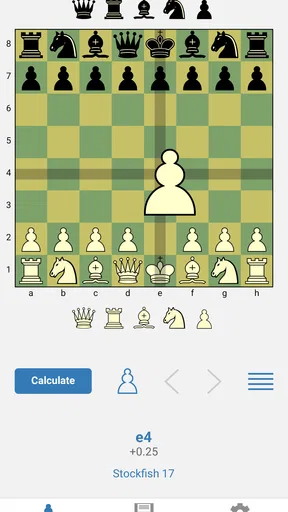
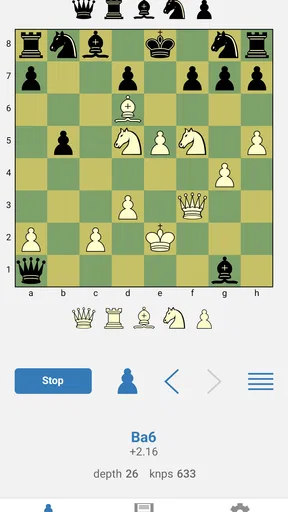
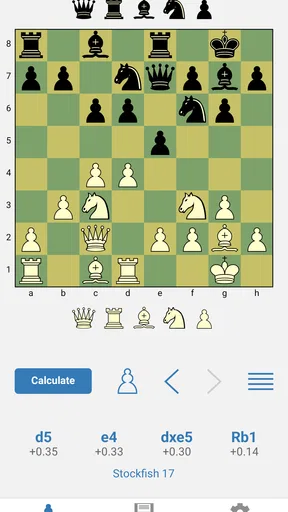
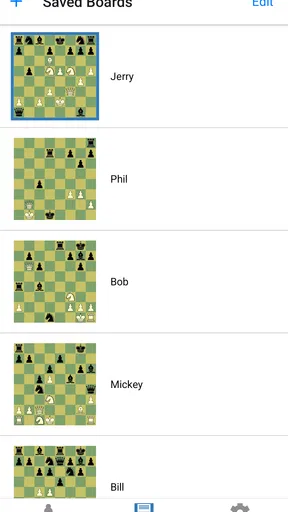
Our Review of Next Chess Move
 Analysis by Appyee
I reach for a chess move calculator when I want to test a position rather than play a full game, and Next Chess Move is built around that focused job. It makes the most sense when I already have a board position in mind and want help weighing the choices in front of me. That is a different kind of value from a chess app centered on matchmaking, puzzles, or long lessons: here, the useful moment is the pause between moves, when I want to check a candidate line or understand why one option looks stronger.
What a move calculator is good for
I find this kind of tool most useful after a game, when a turning point is still fresh. I can recreate the position and compare the move I played with another idea, then use the analysis as a prompt to ask better questions: Was my king exposed? Did I miss a tactical reply? Was there a safer way to keep pressure? A calculator can point toward possibilities, but the learning comes from following the variations and explaining the logic to myself.
It can also help before a casual game, provided I use it as practice rather than as live assistance. I might set up a position from a book or a study session and explore what changes after a candidate move. That is more active than simply reading an answer, and it helps reveal how a single move affects the opponent’s replies. I would avoid leaning on an engine during a game where outside help is not allowed; the app is better used for study, review, and private analysis.
Who will get the most from it
For a beginner, a recommended move can be a useful starting point, but it is not automatically a lesson. If you are still learning how pieces move or how to spot basic threats, a guided course or puzzle app may explain concepts more clearly. I would pair this tool with deliberate practice: make your own guess first, check the suggested direction, then replay the position and see what you overlooked.
More experienced players may appreciate the freedom to examine a concrete position without committing to a full online game. It can be useful when preparing a line, checking a tactical idea, or revisiting an unfamiliar endgame. The trade-off is that analysis tools can encourage passive dependence: if I accept the top move without exploring the alternatives, I may get an answer while learning very little. For improvement, I try to name my candidate moves before looking for help and explain the reason for each one afterward.
How it fits among chess apps
Compared with a broad chess platform, a dedicated move calculator has a narrower purpose. A playing app is the better choice when I want opponents, clocks, ratings, or a stream of puzzles; a course-focused app is better when I want a planned sequence of lessons. This one belongs in the space between a physical board and a post-game review: I can take a position I care about and investigate it without making the rest of chess the main event.
That narrow focus is both its appeal and its limit. If I mainly want to play strangers, follow a structured curriculum, or discuss positions with other players, I would choose a more social or teaching-oriented option instead. If I already have a game or position to examine, a compact calculator can be more direct than opening a larger chess platform and navigating features I do not need.
Small habits that make analysis useful
One practical habit is to write down or remember your own intended move before checking the engine. Then compare not only the recommended choice but also the opponent’s strongest reply. This guards against treating a move as obviously good just because it appears at the top of a list. If the position comes from a real game, note what you thought during play; that contrast often exposes whether the issue was calculation, time pressure, or a misunderstanding of the position.
Another helpful workflow is to examine one decision at a time. Rather than exploring every branch until the analysis becomes hard to follow, test a few serious candidates and ask what each one changes. Does it create a threat, protect a piece, or allow a forcing response? This keeps the tool from turning into a stream of unexplained engine choices and makes the review easier to remember later.
Getting Started with Next Chess Move
First things first, Next Chess Move is super easy to get started with. It’s available on both Android and iOS, so no one’s left out of the fun. When you open it up, you’re greeted with a simple and intuitive interface. You can jump right into setting up your board or inputting your current game situation. The process is seamless and doesn’t require any sign-ups or complicated setups. Just open, set, and go!
Features that Stand Out
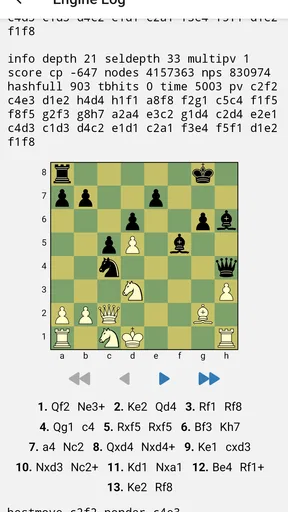
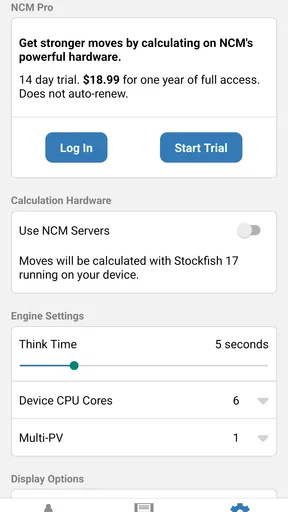
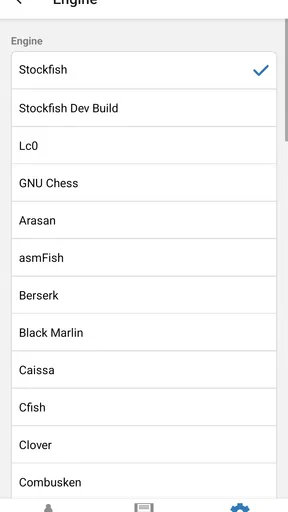
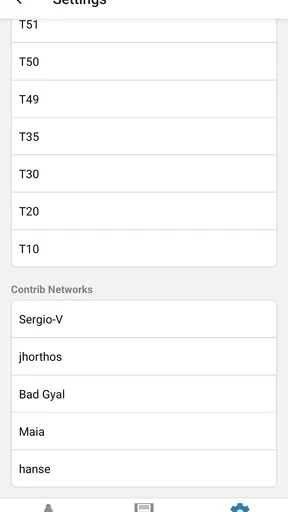
Now, let’s talk about what makes this app a must-have for chess lovers. One of the coolest features is the powerful chess engine that drives the app. It’s like having a grandmaster hidden in your pocket! Whether you’re a beginner or a seasoned player, the app offers insights that can really elevate your game. You can choose from different engines and adjust settings to suit your level, which is pretty neat.
Another sweet feature is the ability to analyze different scenarios. You can input a position and explore various outcomes based on potential moves. This feature is particularly useful if you’re trying to learn from your mistakes or prepare for future matches. It’s like having a personal coach guiding you through the game.
Why I Love It
Alright, let’s get personal. One of the reasons I’m all for Next Chess Move is because it’s just so darn handy. I often find myself playing chess in my downtime, and having this app by my side is a game-changer. It’s helped me improve my strategic thinking and even win a few matches I might have otherwise lost.
The app is also perfect for those who are just getting into chess. It doesn’t intimidate beginners with overwhelming features and is instead a friendly companion as you learn the ropes. Plus, if you’re ever stuck on a move, it’s like having a chess buddy whispering advice in your ear.
Speed, stability, and everyday use
Because the app’s central task is calculating a position, the experience depends partly on how complex that position is and how much analysis you ask it to consider. A simple tactical snapshot is a different workload from a crowded middlegame with many plausible replies. I would not judge a chess calculator by whether every position produces an instant answer; the more useful question is whether it lets me work through a position at a pace that suits my study.
In a quick everyday check, I would enter the board, look at the suggested direction, and then spend more time understanding the resulting line than waiting for a verdict. For deeper study, I would give a position longer and compare candidates rather than tapping through moves rapidly. That distinction matters: a fast answer can be convenient, but a slower, more careful examination may be more valuable when a position has several tactical possibilities.
When the analysis gets demanding
The heaviest use is likely to come from extended analysis of complicated positions, not from simply opening the app or setting up a familiar board. If I am studying a sharp position, I would keep the session focused: choose a few candidate moves, inspect the replies that matter, and stop once I can explain the main difference. That approach is useful for learning and also avoids turning analysis into an endless hunt for a supposedly perfect line.
There is a practical trade-off here. A move calculator is most helpful when I bring a clear question, such as whether a capture works or which defensive move holds. If I enter a position without knowing what I want to learn, engine output can become a list of variations with little context. I would use a notebook or a simple post-game note to preserve the conclusion, especially if I plan to revisit the position later.
Reliability and recovering your train of thought
For me, reliability is not only about whether an app opens; it is also about whether I can make sense of an analysis session when I return to it. With a board-based study tool, the most important safeguard is to keep track of the position I meant to examine and the question I was asking. If I am reviewing a game, I would note the move number or save the position in whatever way fits my routine before switching away, rather than relying on memory to reconstruct a complicated setup.
I also treat engine recommendations as analysis, not as an unquestionable ruling. A recommendation can be hard to use if I do not understand the resulting line, and a position entered incorrectly can lead me down the wrong path altogether. Before trusting an unexpected answer, I check that the pieces and side to move match the position I intended. That small check is especially worthwhile when I have set up a position manually.
Device fit and purchase considerations
The game is published by Next Chess Move LLC and is rated for Everyone. Its listed minimum operating-system requirement is 7.0, so I would check that my device meets it before buying. The version listed is 4.2.1. It is a paid app at $2.99, with in-app purchases listed at $18.99 per item, so I would look carefully at the purchase options shown on my own platform and decide whether the core calculator is enough for my needs before spending more.
Its audience figures offer a modest sign of how it is being received: it has a 4.4 average from 197 ratings, 28 written reviews, and over 10K installs. Those figures do not tell me whether its particular workflow will suit me, but they provide useful context alongside the price. I would choose it if I specifically want a chess-position calculator; I would skip it if what I really need is a free place to play complete games or a step-by-step learning plan.
Room for Improvement?
Of course, no app is perfect. While Next Chess Move is pretty awesome, there are a couple of things I’d love to see in future updates. For instance, a more interactive tutorial could be beneficial for newbies who might find the interface a bit too straightforward. Additionally, integrating a community feature where players can share strategies or discuss games would add a social element to the app.
Final Thoughts
In a nutshell, Next Chess Move is a fantastic tool for anyone who loves chess. Whether you’re playing casually or gearing up for a tournament, this app provides invaluable insights and support. It’s easy to use, packs a punch with its features, and is just plain fun to have around. So, if you haven’t tried it yet, what are you waiting for? Give it a go and watch your chess skills soar!
Happy checkmating!
Verdict
Strengths of Next Chess Move
- User-friendly interface for all skill levels.
- Supports multiple chess engines for analysis.
- Real-time move suggestions enhance gameplay.
- Customizable board and piece styles.
- Offline mode available for uninterrupted play.
Limitations of Next Chess Move
- Limited free features without subscription.
- Occasional lag with complex calculations.
- Ads can be intrusive in free version.
- No multiplayer mode available.
- Lacks tutorial for complete beginners.
Similar Picks in This Category
View All
Ludo King®
Gametion4.1

Ludo
Yarsa Games4.6

Tile Master® - Matching Game
Higgs Studio3.6

Checkers Online
CC Games4.6

Dominoes
Loop Games4.7

Chess
Chess Prince4.6
Frequently Asked Questions
What is Next Chess Move and how does it work?
Next Chess Move is an intuitive chess analysis tool designed to assist players in strategizing their next moves. Users can input their current board position to receive the best possible moves based on advanced algorithms. This app is ideal for both beginners looking to improve their skills and seasoned players seeking a strategic edge.
Is Next Chess Move suitable for beginners?
Yes, Next Chess Move is very beginner-friendly. It offers guidance on possible moves, helping newcomers understand the game better. The app’s easy-to-use interface and detailed suggestions allow beginners to learn chess strategies effectively, making it a great learning tool for all skill levels.
Does the app support different chess engines?
Next Chess Move supports various chess engines, such as Stockfish, which is renowned for its powerful analysis capabilities. Users have the option to choose their preferred engine, allowing for a personalized experience that can cater to different analytical needs and preferences.
Are there any in-app purchases or advertisements?
While Next Chess Move offers a free version with basic features, there might be some in-app purchases available for advanced functionalities. The app may contain minimal advertisements, but these are typically unobtrusive, ensuring a smooth and focused user experience.
Can I use Next Chess Move offline?
Next Chess Move primarily requires an internet connection to function effectively, especially when using advanced chess engines. However, users can still access some features offline, although the analysis might be limited compared to when the app is fully connected.
Play our best games!


